There's a chance you've heard of OpenClaw - a tool to control AI agents on your computer. OpenClaw allows you to run cloud and local models, and lets you control AI agents remotely from your phone ! It does this by connecting third-party messaging servers (such as those from WhatsApp and iMessage) to an OpenClaw instance.
But what if you don't want to depend on these third-parties? This is where Jami comes in. As a distributed and peer-to-peer communication platform, Jami allows users to communicate directly over the network, no third-party servers involved. It can even work on a local network!
Do you need to bring some claw-and-order to your life? Setting up bots on Jami with our OpenClaw plugin is easy, so grab your claw-fee and keep reading!
What is a Bot Account in Jami?
A bot account is a Jami account designed to be controlled by external applications or scripts via an API token. A bot account's profile has markers identifying it as a bot and the account controlling it.
API access and bot accounts are currently supported on Jami for desktop (available on Linux, macOS and Windows).
🔌 Installing the Jami OpenClaw Plugin
Installing the OpenClaw channel plugin for Jami is shell-shockingly simple. All one needs to do is run the following command in their terminal👇️
$ openclaw plugins install @savoirfairelinux/jami-openclawIf you want to take a look at the code of the plugin you can check out the plugin's repository here.
🤖️ Creating a Bot Account in Jami
To create a bot account you'll need to navigate to the App Access page in Jami's settings first. You can then click the Create Bot button to start the bot creation wizard 🧙♂️️, and (optionally) choose a profile name for your bot.
🪙 Your Bot's Token
After customizing your bot's profile, you will be presented with its token (such as the one seen below). Make sure you copy it and keep it somewhere safe, it'll only be shown to you once!
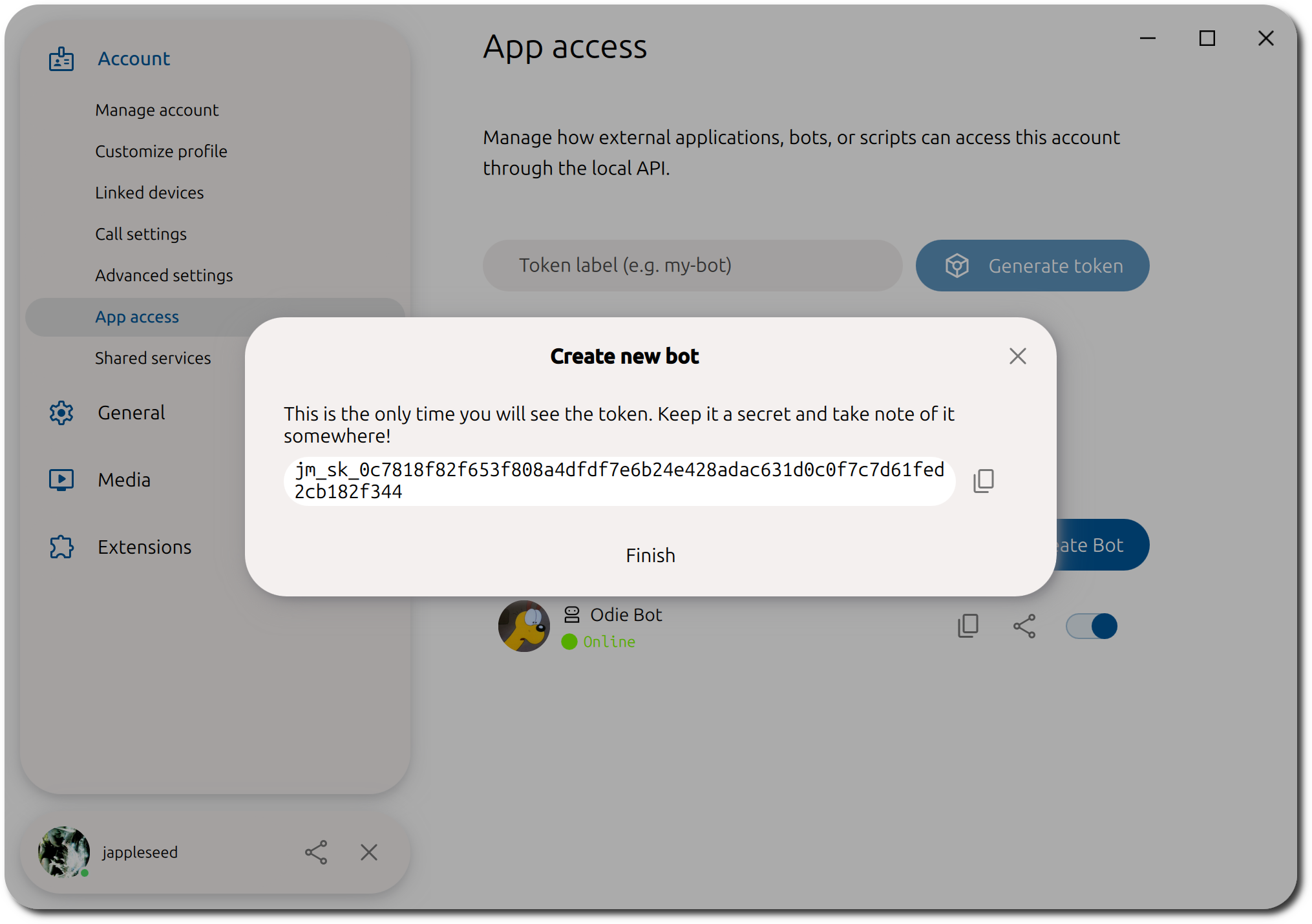
Once you've created your bot, you can add it as a contact in you Jami account.
⚙️ Configuring the OpenClaw Plugin
Configuring the Jami channel in OpenClaw is easy thanks to the config wizard we've implemented.
-
Run
openclaw config -
When asked what you want to configure, select
Channels -
Using the down arrow key (⬇️), scroll down the channel list until you reach
Jami -
Enter the server URL (you can usually leave this as the default
http://localhost:8080value. Just make sure that the port value matches the one you've set in Jami (see Settings → General → System → Local API Server → Server Port) - Enter the Jami API token of your bot account (you know, the one you've intelligently and safely stored somewhere)
- You'll be shown the channel list, select finished.
- You can them modify the DM access policy if you wish. See the description provided
💬️ Talking to Your Bot
You might be thinking: "I've done all this configuring, but how do I actually talk to my bot".
If you recall from the beginning of this blog post, in the What is a Bot Account in Jami? We mentioned that is the same as any other Jami account. All you need to do is search for your bot's JamiID (which you can copy from the App Access page) and add it as a contact! Shortly after, the contact will be auto-accepted (by the OpenClaw plugin) so give it a few seconds.
openclaw gateway restart!
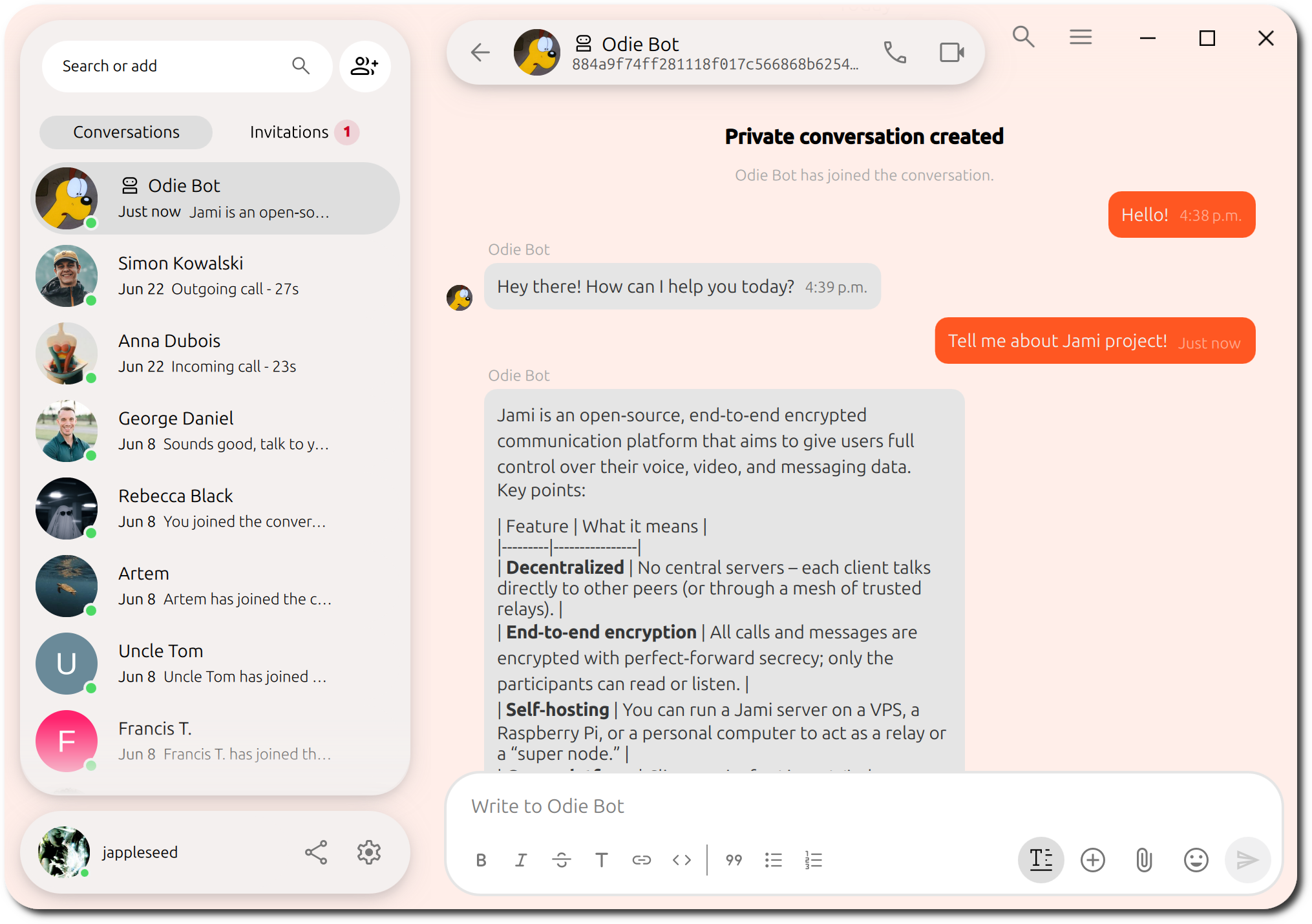
🎉️ It's time to shell-ebrate, you've just setup you're first (and hopefully not last) bot on Jami!
Ready to Try Jami-OpenClaw?
Have an issue with Jami-OpenClaw?
Our donation campaign
Building Jami is not only about writing code. It also means funding engineering time, testing, support, packaging, and the ability to keep the project independent.
If Jami is useful to you, whether every day or as a reliable alternative when you need it, your donation directly helps maintain this level of quality and accelerate development, without compromising the project’s founding principles.
Article by: Ilyas Erdogan (Jami Team)
Feature Image: Still Life with a Lobster by Jan Davidsz. de Heem


