📚 A Brief on Euclid
The name Euclid refers to the Greek mathematician Euclid of Alexandria. Known for having established the foundations of geometry, he is often referred to as the father of geometry. As you read this post about the latest version of Jami, you'll soon understand why we chose Euclid for this release.
✨ So, what's new?
🖼️ New User Interface (UI)
We've made a lot of changes to Jami's UI. The most noticeable differences you'll catch moving forward are the rounded corners (they're everywhere). We'll unpack the significant changes below, but we'll leave the rest for you to discover on your own 😉.
🪪 Jami Identifier
If you're opening Jami for the first time in a while, a particular item may have caught your eye: the Jami ID logo. It's been redesigned to better match our new UI.

⚙️ Account Management
As you first opened Jami, you may have thought: "Oh no! where have my accounts gone 😢". Not to worry, simply direct your eyes to the bottom-left corner and you'll find that it never left. Since Jami is a communications app, we decided that your conversations should be the first thing you see.
*️⃣ Telephone Input Panel
For SIP users of Jami: you asked, and we listened. You now have access to a keypad when adding contacts. No longer will you need to guess if that customer service line using the mnemonic HELP starts with a four or five! The telephone panel can be revealed by clicking the keypad button next to the search bar.
💬 Conversation View
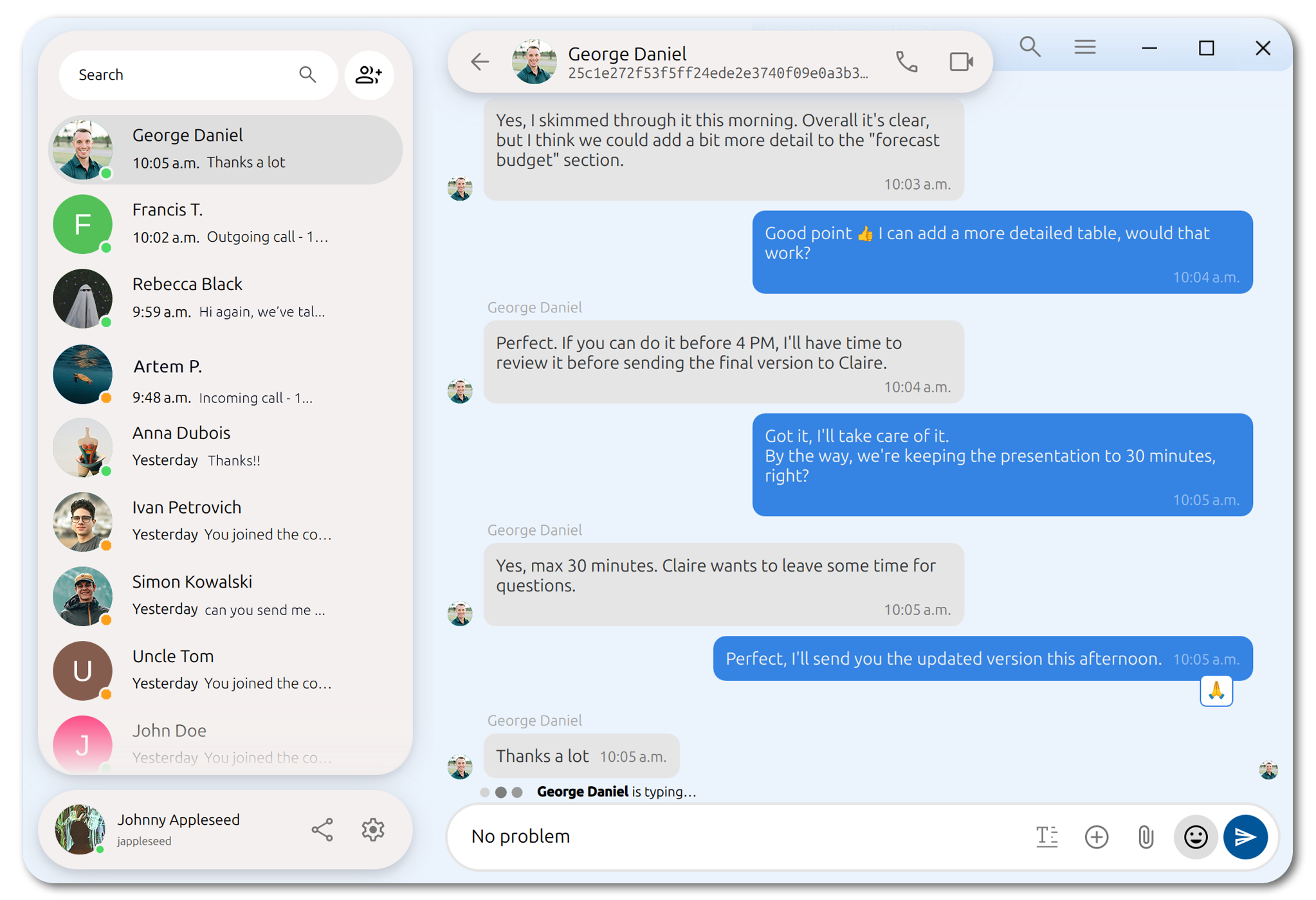
The conversation view has gotten a noticeable update. We've reworked the message and contact bars to be more uniform with the new UI. The background of your conversation will now follow a tinted version of the conversation's colour. Not only that, but the colours will fade as you switch conversations.
Finally, a tiny yet important detail is that your contact's fingerprint is now shown in a monospace font.
☰ Details Panel
The details pane for conversations has recently gotten some love, particularly for swarms (Jami's version of groupchats).
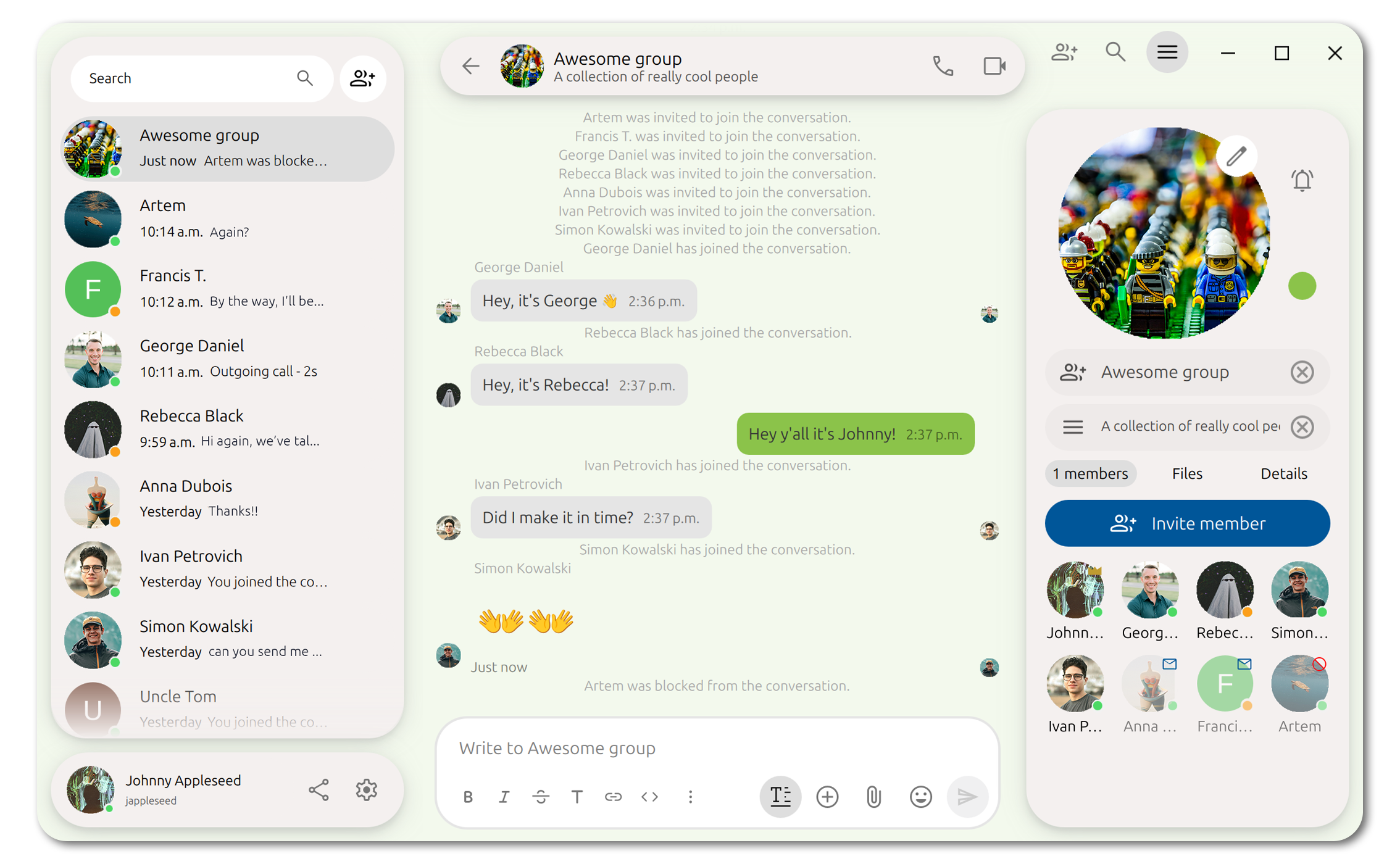
We've converted the members lists into a slighlty more digestlible grid. It now provides you some additional visual cues for the states of each member. As administrator of a group, you get a flashy golden crown right above your profile. If a Jamer you've invited hasn't yet accepted their invitation to the swarm, they'll have an envelope above their profile to indicate that. Finally, if you've blocked anyone from the groupchat (such as Artem in the photo above), that too will be shown using the blocked icon.
↔️ Better right-to-left (RTL) support
We've improved the user experience for Jamers that use the app in RTL languages.
Users who prefer to navigate their devices in an RTL language (such as Arabic, Farsi, Hebrew, etc.) should find the application easier to get around.
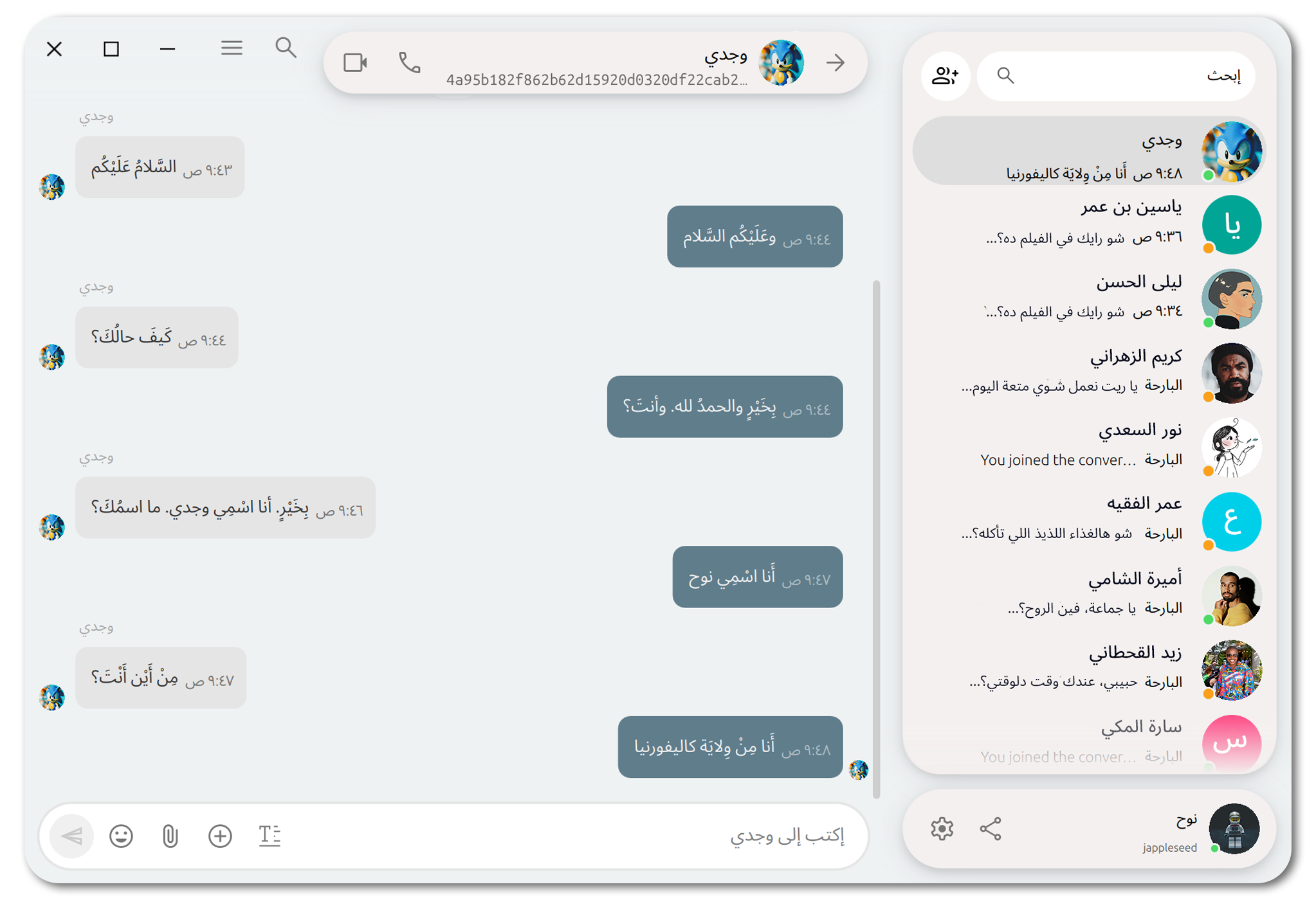
A small yet particularly important touch we've introduced is directionally responsive icons. Icons such as those that imply direction or inquiry will mirror (when applicable) in RTL mode.
🚹 Improved Accessibility
⌨️ Navigation
We've fixed some important navigation bugs in Euclid. Jami has never been more accessible! Whether you're switching accounts, changing conversations, researching messages, or snapping a new profile pic, you'll find that you can now do it with ease using nothing but your keyboard if you require/prefer it. Farewell computer mouse!
👁️ Screen Reading
All of the new and redesigned UI components that we've introduced by Euclid have been designed in an accessibility forward manner. The majority of the UI components include updated accessibility roles, names, and descriptions (where applicable) making it easier for Jamers that rely on screen readers to navigate the application.
🍎 Native Tahoe Integration
For our Jamers that daily-drive macOS, we've gone the extra mile to make refine their user experience. Curious? Take a look below:
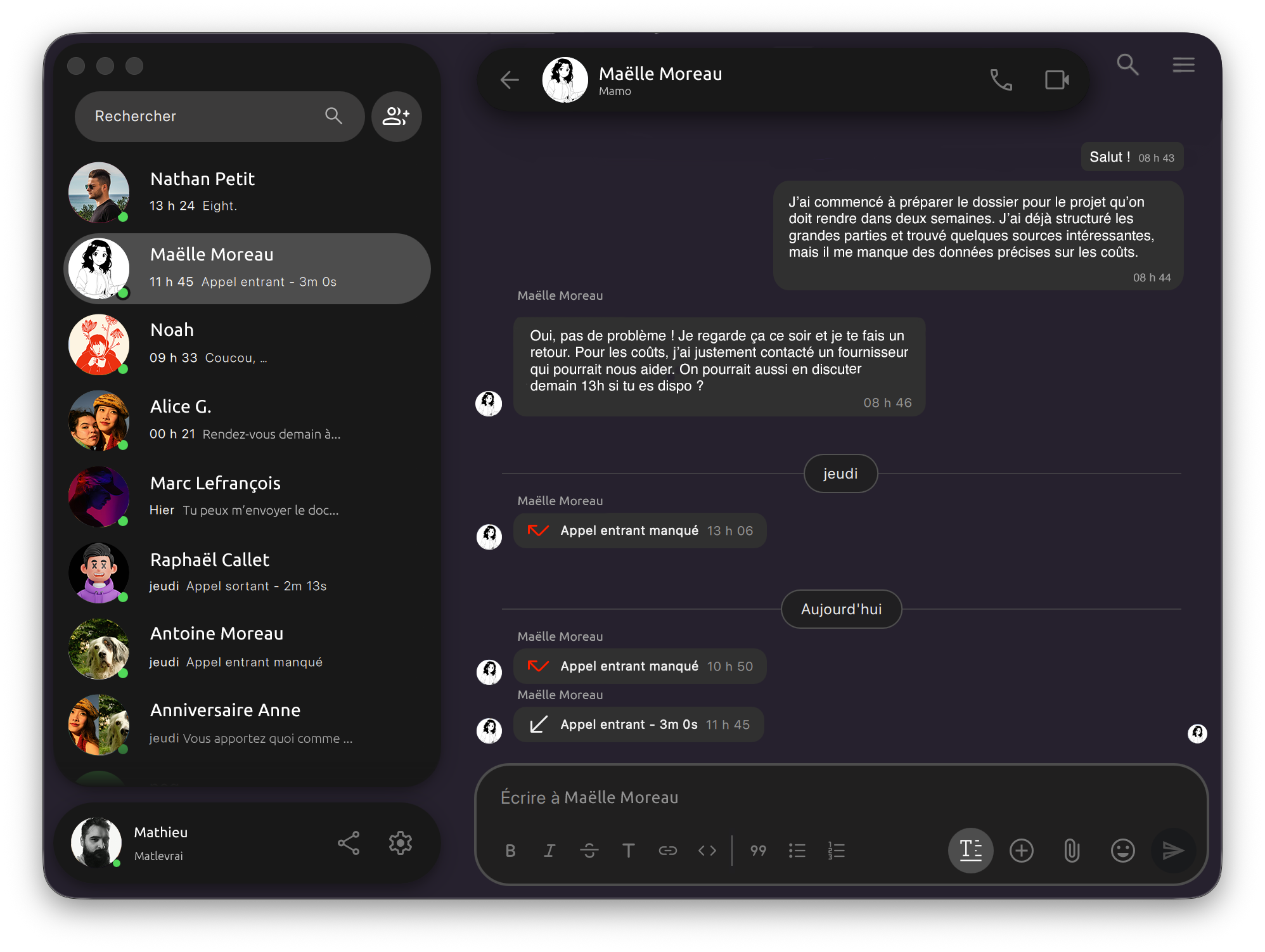
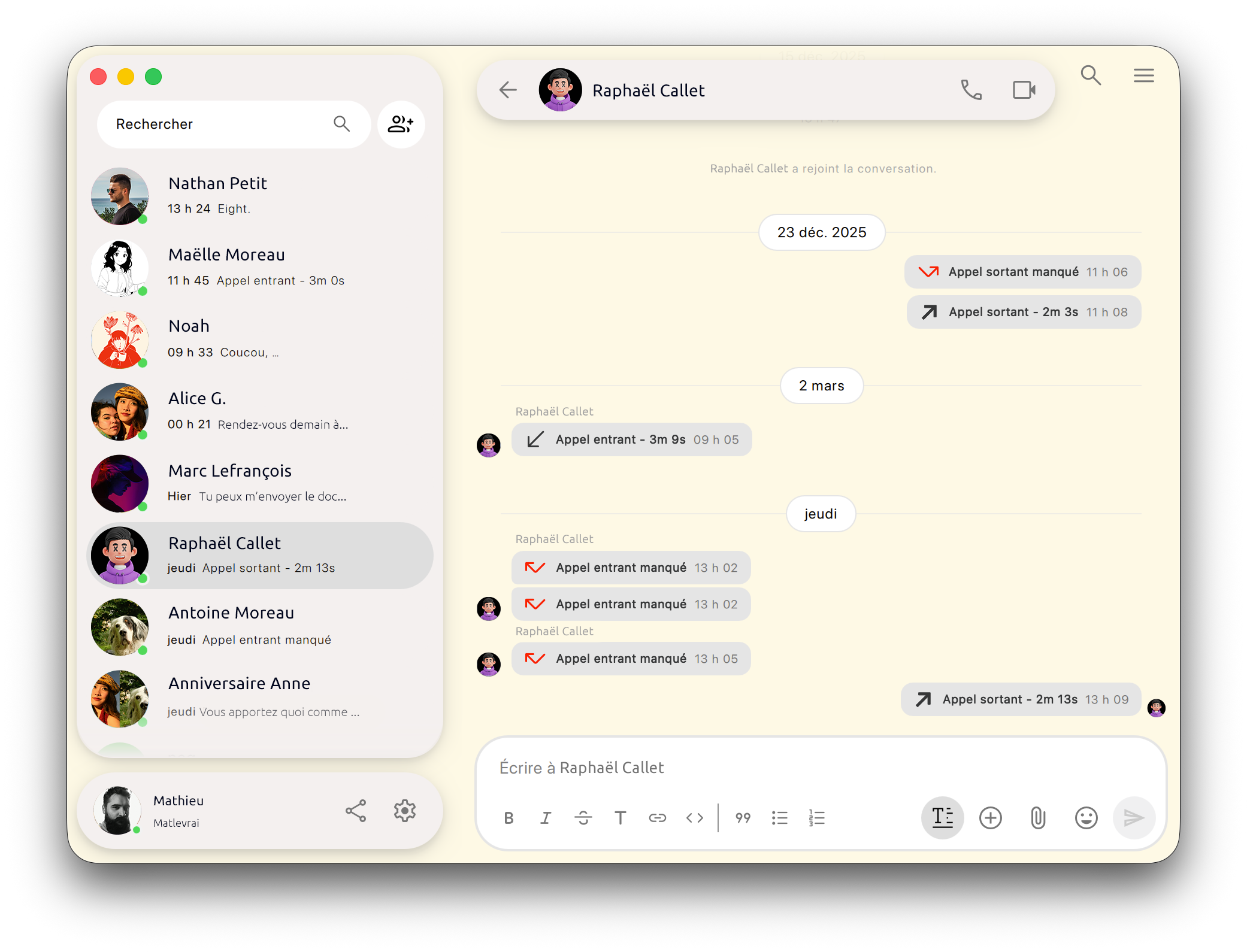
Users running macOS 26 (Tahoe) will notice the smooth, rounded corners of the application window itself. The intention is to provide visual uniformity with other applications in mac desktop environment.
🧑💻 Behind the Scenes
If you're a developer (or maybe just a technically-inclined reader), you might want to know what changes have been made behind the scenes. Here's what's changed and improved:
- Qt 6.10: Jami now runs on Qt 6.10 (previously 6.8)
- C++20: We've upgraded some of Jami's dependencies (such as DHTNet, OpenDHT, and more) to C++20
- Video quality: Noticeable improvements have been improved on the mobile side. On iOS in particular, encoding could reach up to 120 frames per second, causing performance issues. We've stabilized this in Euclid by cutting it down to a more acceptable 30 frames per second.
- Connection drops: Fixes have been made for a problem concerning premature connection drops, resulting in interruptions during large file transfers.
For a extensive and detailed list of all changes, please see our changelog.
Ready to Experience the New Jami?
Our donation campaign
Building Jami is not only about writing code. It also means funding engineering time, testing, support, packaging, and the ability to keep the project independent.
If Jami is useful to you, whether every day or as a reliable alternative when you need it, your donation directly helps maintain this level of quality and accelerate development, without compromising the project’s founding principles.
Credits
Article by Ilyas Erdogan (Jami Team)
Feature image: Illusration by Jean-Pol GRANDMONT (Original artwork: The School of Athens painted by Raphael)


